Posts

Showing posts with the label SharePoint

How to get SharePoint dll version using JavaScript quickly

If you are working on SharePoint apps development you will need to know the SharePoint dll version to put webparts in to the page. In webparts we need to provide the SharePoint dll version in the  '  In this sinario you can use following service url and make a quick call and get the version of the SharePoint dll on Office 365 SharePoint Online as well as SharePoint Onprem. /_vti_pvt/buildversion.cnf SharePoint On Premise output vti_encoding:SR|utf8-nl vti_buildversion:SR|15.0.4737.1000 SharePoint Online Office 365 output as of 04/07/2017 vti_encoding:SR|utf8-nl vti_buildversion:SR|16.0.6621.1204 Function for get the version no.     getSharePointVersion: function () {         var ver = null;         $.ajax({             url: "/_vti_pvt/buildversion.cnf",             async: false,         }).done(function (result) {    ...

Create SharePoint online site collection using console application

This summary is not available. Please click here to view the post.

SharePoint 2013 Themes

Here is good article about SharePoint Themes. This explains lot of information about themes and how we can modify them. It also has steps of how we can use SharePoint Color Palette Tool. https://en.share-gate.com/blog/create-sharepoint2013-theme-using-color-palette-tool SharePoint Color Palette Tool Download Link https://www.microsoft.com/en-au/download/details.aspx?id=38182

Adding Quick Launch to Page Layout

When we need to add Quick Launch to the page layout we can use following code.     ID="SiteMapDS"     runat="server"     EnableViewState="false"     SiteMapProvider="CurrentNavigation"     StartFromCurrentNode="true"     StartingNodeOffset="0"     ShowStartingNode="false"     TrimNonCurrentTypes="Heading"/>         ID="CurrentNav"     EncodeTitle="false"     runat="server"     EnableViewState="false"     DataSourceID="SiteMapDS"     UseSeparateCSS="false"     UseSimpleRendering="true"     Orientation="Vertical"     StaticDisplayLevels="2"     MaximumDynamicDisplayLevels="0"     CssClass="s4-ql"     SkipLinkText="<%$Resources:cms,masterpages_skiplinktext%>"/> Following links will help you to get some samples how to do this. http://heatherwaterman.com/2014/07/lef...

SharePoint Apps authorizations

Last few days I was experimenting with SharePoint App model. Provider hosted apps which is a type of app which provide by SharePoint. In this category of apps, app will have a separate web component running out side the SharePoint box which App is installed. When the out side hosted component needs access to the SharePoint list and libraries of the SharePoint farm which app is installed there is a requirement to authorize access from those hosted web components. According to the MSDN there are three different authorizations defined for SharePoint apps which can be used in this scenarios. Low Trust – Provider hosted apps for SharePoint use Azure ACS (Access Control System) to get the token which they can use to access SharePoint resources (List libraries and other resources) which app installed SharePoint farm. This use OAuth 2.0 framework and Azure ACS is the token issuer. If app is using this mechanism it can be sold in SharePoint App Store. Low trust system is there mostly for...

Delay Loading of Data in SharePoint 2010

Image
Today I found really good article about delay loading web part data in SharePoint 2010 site. I has all the coding and demonstration of how it works after implementing it. Hope this will help us some day when doing complex web part implementations. http://kjellsj.blogspot.com/2011/06/delayed-load-sharepoint-2010-web-parts.html Cheers

SharePoint 2010 environment upgrade guide

Sometime when we are solving SharePoint related problems or when SharePoint features not functioning properly as we expected we tend to search related to those issues. But after couple of forum posts and spending two there days searching when you found that that problem was due to a SharePoint upgrade issue or its a limitation which they have fixed in SharePoint latest upgrade :S its really frustrates us. I have faced SharePoint user profile activity application related issues  where finally I had to deploy latest SharePoint update to fix those issues. This will be a nightmare if you are deploying your SharePoint application on a production machine. When the developed application features not functioning properly it will be a headache until you sort out the issues. It be really good if we have a common guide which we can use to keep our development machine and production environment up to date with latest version of SharePoint upgrades. Following is a TechNet article i...

SharePoint 2010 – Making title column required on Document and Picture libraries

Image
If you want to make title field mandatory when uploading files to a document library do the following steps. This will make title column required on the document library. Go to document library “Library Settings page” Go to the “Advanced settings” page in the library settings page Make “Content Types” Allow management of content types to “Yes” and press ok. In the “Library Settings page” click the “Document” content type Click on Title In the Column settings make it as Required. Now once you upload a document to the library it will ask for the Title of the document. Hope this small tutorial will help you to complete your solution .

Introduction to SharePoint 2010 Master Pages

Image
Today I wanted to dig deep in to the SharePoint master pages. Following is a blog post from http://sharepoint.microsoft.com/Blogs/GetThePoint which include most of the basic difference between different master pages which comes with SharePoint 2010. I think this will be helpful for those who want to get basic knowledge about SharePoint 2010 master pages and who wants to create custom master pages. http://sharepoint.microsoft.com/Blogs/GetThePoint/Lists/Posts/Post.aspx?ID=386 Enjoy

SharePoint 2010 Logging

I have practice of logging when handling exceptions and rest of the important things which I think will need when we want to find something important while fixing bugs in the future. Following is a one of the way you can log messages in to the ULS log from the code. You can use this method in a common place and call it from any place you want in SharePoint 2010 code. 1: private static void LogMessage( string message, string category, TraceSeverity traceSeverity, EventSeverity eventSeverity) 2: { 3: // retrieve app settings for logging 4: if (WebConfigurationManager.AppSettings != null && WebConfigurationManager.AppSettings[APP_SETTINGS_LOGGING_ENABLED] != null ) 5: { 6: // get the accessdenied page path from the app settings 7: string loggingEnabled = WebConfigurationManager.AppSettings[APP_SETTINGS_LOGGING_ENABLED].ToLower(); 8:   9: if (loggingEnabled.CompareTo( "true" )...

SharePoint 2010 My Site–Error when opening the My Profile page

Image
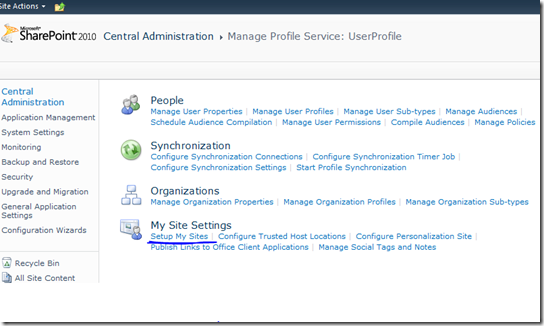
Today just after I configure My Site host in my environment I tried to test the My Site pages by navigating to those pages. But I got the following error once I go to those pages. Following is the stack trace. Unhandled exception caught during execution of Microsoft.SharePoint.Portal.PageBase::ErrorHandler(). Exception information: Exception information: System.NullReferenceException: Object reference not set to an instance of an object.     at Microsoft.Office.Server.Utilities.UrlUtility.SafeAppendQueryStringParameter(String strUrl, String strKey, String strValue)     at Microsoft.SharePoint.Portal.WebControls.EditProfileButton.OnPreRender(EventArgs e)     at System.Web.UI.Control.PreRenderRecursiveInternal()     at System.Web.UI.Control.PreRenderRecursiveInternal()     at System.Web.UI.Control.PreRenderRecursiveInternal()     at System.Web.UI.Control.PreRenderRecur...

SharePoint Formulas and functions

I recently wanted to write some formulas to put column validations for SharePoint list columns. Following is a link which provide more details on API which we can use to get more insight on how to defining validations. http://office.microsoft.com/en-us/sharepoint-foundation-help/CH010372694.aspx

SPQuery not executing the query and returning all results

Today i faced a problem when I create a SPQuery object and when in get the result its giving all the records in the list. Finally i figure out that we don't need to put ... tags in to the query. As most of us using the Camel query builder we are used to use tag. Next time make sure to remove the .. tags from when you are using SPQuery objects. Hope this tip help you struggle in future.

Sharepoint 2010 Hotfix for list of issues

Refer http://support.microsoft.com/kb/983497 Following are the list of issues fixed in the hotfix. After you move a site to a new content database, the Microsoft SharePoint Foundation 2010 sync does not work on that site. If you change your information, a Microsoft SharePoint Server 2010 site still displays your old information after you log on to that site. The Welcome Name field is not synced with a user profile as expected if the user obtains access to a site through an Active Directory group. This issue occurs even if the administrator uses the synchronization job to sync profile details for inactive site users. If a user profile synchronization service uses a named SQL instance, the service no longer starts after you provision the service. For example, this issue ocurrs when you stop the service. You cannot obtain most activity properties from the ActivityManager object without obtaining the LinkList property first. When you add a Windows user to SharePoint Ser...

Solution Deployment with SharePoint 2007

Hey if you have to get an idea on solution deployment with Sharepoint 2007 refer link http://msdn.microsoft.com/en-us/magazine/cc163379.aspx

10 Best Practices For Building SharePoint Solutions

Hey guys i found a MSDN magazine article on 10 Best Practices For Building SharePoint Solutions. Refer link http://msdn.microsoft.com/en-us/magazine/dd458798.aspx

Records Management features in SharePoint 2010

Refer http://www.khamis.net/blog/Lists/Posts/Post.aspx?ID=36

SharePoint List Template Id’s

Following are the default template id list for reference. Source : http://msdn.microsoft.com/en-us/library/ms415091.aspx 100 Generic list 101 Document library 102 Survey 103 Links list 104 Announcements list 105 Contacts list 106 Events list 107 Tasks list 108 Discussion board 109 Picture library 110 Data sources 111 Site template gallery 112 User Information list 113 Web Part gallery 114 List template gallery 115 XML Form library 116 Master pages gallery 117 No-Code Workflows 118 Custom Workflow Process 119 Wiki Page library 120 Custom grid for a list 130 Data Connection library 140 Workflow History 150 Gantt Tasks list 200 Meeting Series list 201 ...